
Download Crawler Weather – free weather and traffic desktop app
Overview
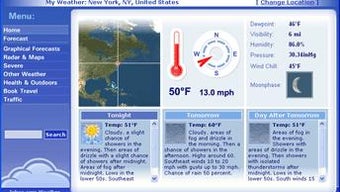
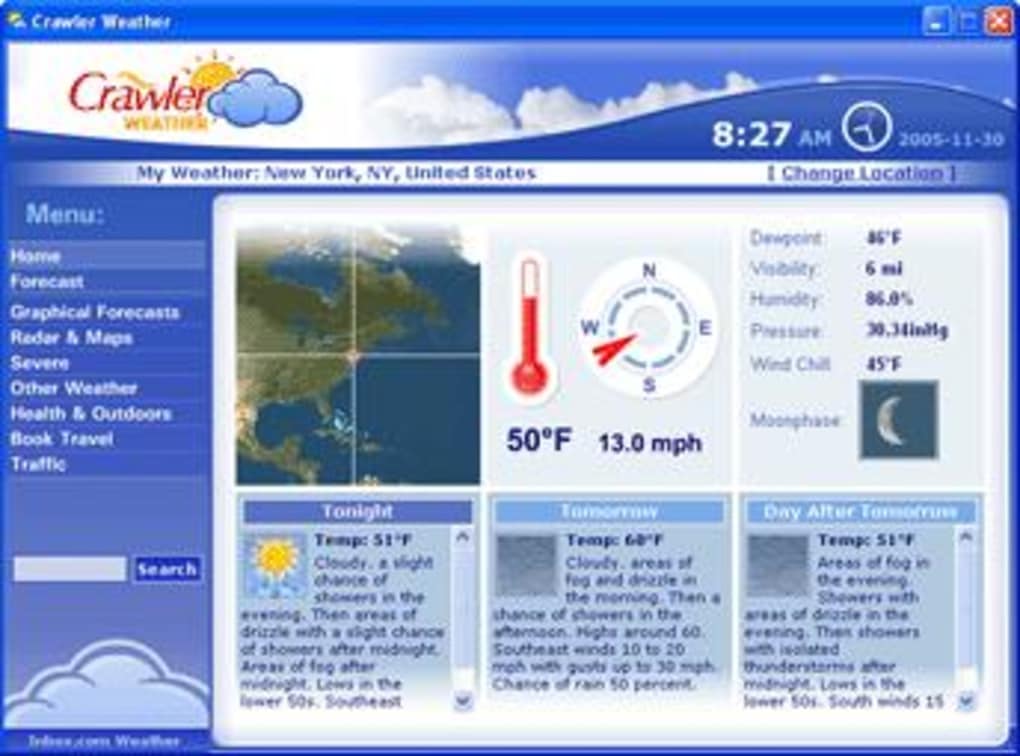
Crawler Weather is a desktop‑focused weather and traffic information tool that aims to keep you one step ahead of sudden showers, icy roads, or unexpected congestion. Designed for Windows users in North America, the app pulls real‑time meteorological data from reliable sources and pairs it with live traffic updates for your hometown or any destination you choose. The interface is sleek and visually oriented: a live map dominates the left side, while a wind‑speed gauge and temperature dial sit on the right.
Below, you’ll find a three‑day forecast with icons that make planning trips feel effortless. Although the traffic module is limited to North America, the weather component covers local, regional, and international conditions, delivering radar imagery, detailed weather maps, and graphical forecasts directly to your desktop. In short, Crawler Weather offers a polished, all‑in‑one solution for anyone who needs accurate weather alerts and, where available, traffic insights without opening a browser or juggling multiple apps.
Key Features
- Real‑time weather updates: Current temperature, humidity, wind speed, and precipitation data for any location you specify.
- Three‑day graphical forecast: Color‑coded icons and charts make it easy to see temperature trends, rain probability, and wind direction at a glance.
- Live radar and satellite maps: Interactive maps let you zoom into storm systems, view cloud cover, and track moving fronts.
- North America traffic integration: When you’re in the United States or Canada, the app pulls live traffic congestion data, accident reports, and road‑closure alerts.
- Customizable alerts: Set thresholds for temperature drops, heavy rain, or high wind speeds, and receive desktop notifications before conditions become hazardous.
- Multi‑location support: Save up to five favorite locations—home, work, vacation spot, etc.—and switch between them with a single click.
- Minimal system impact: The program runs in the background with low CPU usage, ensuring that your PC stays responsive while the app stays updated.
- Free core version: All core weather features are free; optional premium add‑ons (e.g., extended forecast, premium radar layers) are available for a modest price.
Installation & Usage Instructions
Step‑by‑Step Installation
- Visit the official Crawler Weather website and click the Download for Windows button.
- Save the installer (CrawlerWeatherSetup.exe) to your Downloads folder.
- Run the installer and follow the on‑screen prompts. The wizard will ask you to accept the license agreement, choose an installation folder (default is C:\Program Files\CrawlerWeather), and optionally create a desktop shortcut.
- When the installation completes, launch the application from the Start menu or the desktop shortcut.
- The first launch triggers a brief update check. Allow the program to download the latest weather and traffic data packages—this typically takes under a minute on a broadband connection.
Getting Started with the Interface
Upon opening Crawler Weather, you’ll see a split-screen layout. The left panel displays a live map with weather overlays (radar, temperature, precipitation). The right panel houses the wind‑speed gauge and temperature dial, while the bottom strip presents a three‑day forecast.
To add a new location, click the + icon next to “Saved Locations.” Enter the city name or ZIP/postal code, and the app will auto‑populate the coordinates. You can then toggle between saved locations using the drop‑down menu at the top.
For traffic alerts, enable the “Traffic Layer” toggle (visible only when you select a North American location). The map will overlay colored lines indicating congestion levels: green for free‑flowing traffic, yellow for moderate, and red for heavy.
Desktop notifications can be configured in Settings → Alerts. Here you can define temperature thresholds (e.g., alert if below 32°F), rain probability (e.g., alert if >70% chance), and wind speed (e.g., alert if >20 mph). Each alert can be set to trigger a pop‑up, a sound, or both.
Finally, to keep the app up‑to‑date, enable “Automatic Updates” in the Preferences tab. Crawler Weather checks for new weather models and traffic data every 15 minutes, ensuring you always have the latest information.
Compatibility, Pros & Cons
Supported Operating Systems: Windows 10, Windows 11 (64‑bit). The application is not currently available for macOS, Linux, Android, or iOS, though a mobile‑friendly web portal exists for on‑the‑go checks.
Pros
- Visually appealing UI with live maps and gauges.
- Accurate, up‑to‑date weather data sourced from reputable meteorological services.
- Free core version provides robust functionality without hidden fees.
- Low system resource usage; runs smoothly on older hardware.
- Customizable alerts help you stay prepared for sudden weather changes.
Cons
- Traffic information is limited to North America, leaving European users without this valuable feature.
- No native macOS or Linux client, which restricts cross‑platform adoption.
- Premium add‑ons (advanced radar layers, extended forecasts) require a paid subscription.
- Occasional delay in traffic data refresh during peak congestion periods.
- Interface may feel cluttered for users who only need basic weather info.
Frequently Asked Questions
Is Crawler Weather completely free?
The core weather features are free for all users. Optional premium modules—such as extended radar imagery and longer‑range forecasts—are available via a subscription, but they are not required for everyday use.Can I use Crawler Weather on a Mac?
At present, Crawler Weather only offers a native Windows client. Mac users can access the web version through a browser, but the desktop‑only features like live traffic overlays are unavailable on macOS.How often does the app update weather data?
The program pulls new weather observations and forecasts every 15 minutes by default. You can change the frequency in Settings → Update Interval.Why isn’t traffic data available for European cities?
Traffic integration relies on data partnerships with North American transportation agencies. Those agreements have not yet been extended to Europe, but the development team has indicated plans to add European traffic feeds in a future update.Does the app run in the background?
Yes. After you enable “Run at startup” in Preferences, Crawler Weather stays resident in the system tray, quietly updating weather and traffic information while consuming minimal CPU and RAM.Conclusion & Call to Action
Crawler Weather delivers a compelling blend of real‑time weather visualization and, where available, traffic intelligence—all packaged in a clean, desktop‑first design. If you spend a lot of time planning commutes, road trips, or outdoor activities, the app’s customizable alerts and three‑day forecast can save you both time and inconvenience. While the lack of global traffic coverage and the absence of a macOS client limit its universal appeal, the free core version remains a solid choice for Windows users in North America seeking a reliable weather companion.
Ready to stay ahead of the storm and the rush hour? Download Crawler Weather now and start receiving accurate weather updates and traffic alerts straight to your desktop. Remember to enable automatic updates for the freshest data, and explore the premium add‑ons if you need deeper radar insight or longer forecasts.
Pros: Beautiful UI, free core features, low resource usage, accurate weather data.
Cons: Traffic limited to North America, no Mac/Linux client, premium add‑ons cost extra.







